Drag turns your Gmail inbox into a shared, organized view. If you prefer your regular Gmail layout, you can switch the Drag view off and back on whenever you like. This toggle lives in the Chrome extension, right inside Gmail.
Available on: Chrome extension. (The web app opens directly into the Drag view, so this toggle applies to the extension in Gmail.)
Turn the Drag view on or off
When you open Gmail with Drag installed, your inbox loads in the Drag view by default. To switch back to your standard Gmail layout, or return to Drag:
- Click Inbox in the left sidebar.
- Use the toggle at the top right of your inbox to turn the Drag view on or off.
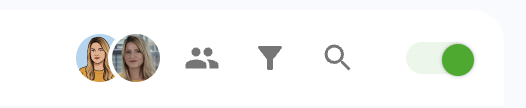
With the Drag view on, your inbox shows your Drag columns and cards. With it off, you see your traditional Gmail layout while still collaborating on your Drag boards.
Note: This toggle only changes how your main inbox looks. Your boards, cards, and shared inboxes stay exactly as they are either way.
Why the toggle exists
Some people like working in the Drag view all day, and others prefer to keep the familiar Gmail layout for parts of their work. The toggle lets you move between the two without changing any of your Drag setup.
Still have questions? Our support team is happy to help at support@dragapp.com.