Varley can write a reply to any email thread, or a brand-new email, while you watch. You decide whether to save it as a draft, send it, or ask for changes.
Available on: Chrome extension · Web app · Desktop app
Ask for a draft
- Open the email thread.
- In the Varley panel, describe the reply you want, for example “Draft a reply saying we've refunded the difference and she's now on the monthly plan”.
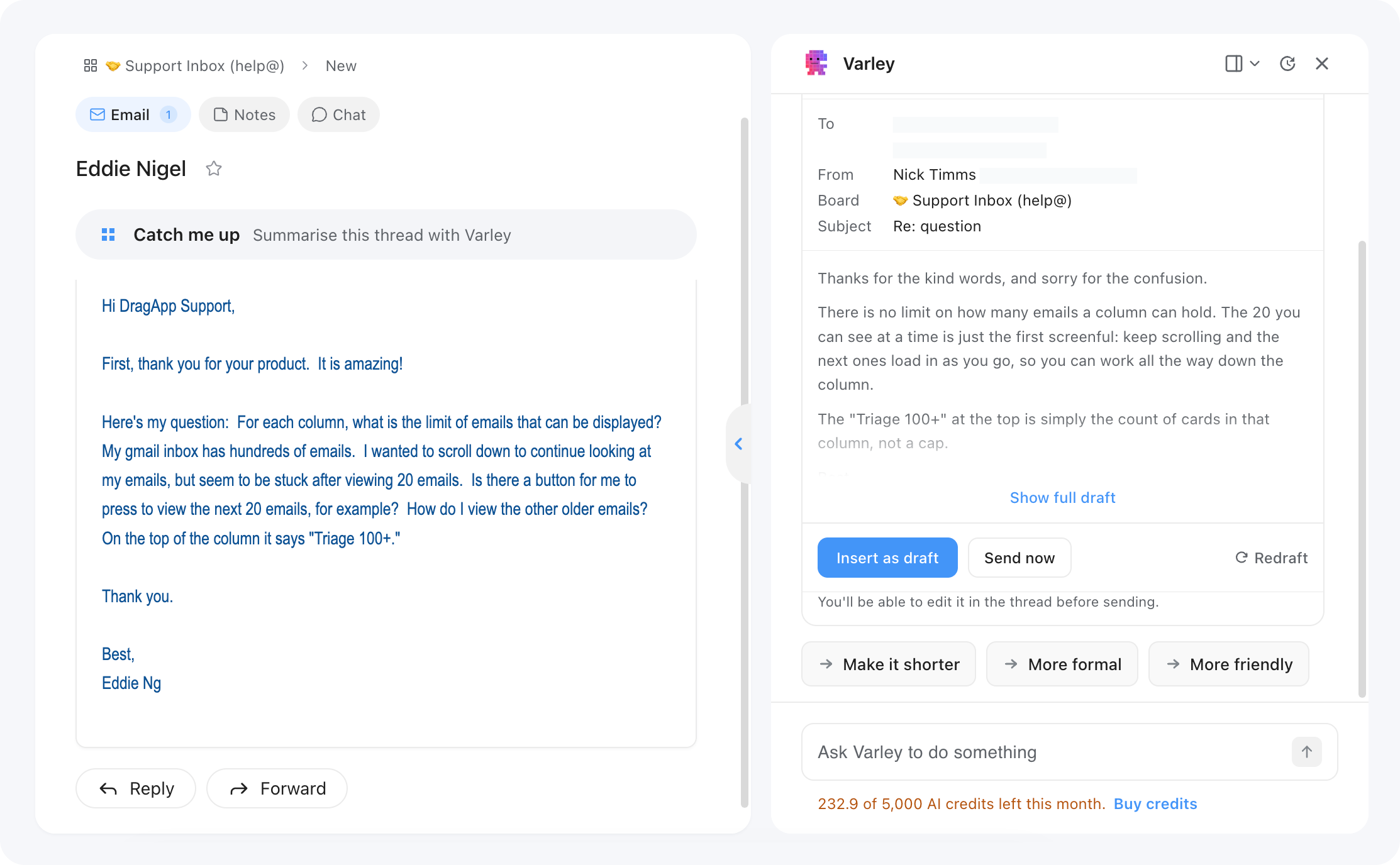
- Varley shows a Draft reply card with To, Cc, From, Board and Subject. Click Show full draft to read it all.
Nothing is saved or sent yet. The card says Not saved yet until you choose what to do.
Tip: Varley writes from the thread itself. Put the facts you want in your request, such as the refund amount, the date or the plan name, and the draft will use them.
Choose what to do with it
- Insert as draft: saves the draft on the thread and opens it for you to edit and send. It becomes a shared draft, so your teammates on the board can see it. If the thread already has a draft, the button says Replace draft.
- Send now: Drag asks you to confirm (Send this email?). Choose Send, or Send and close to close the thread at the same time. Sent email can't be undone.
- Redraft: tell Varley what to change, or click a suggestion such as Make it shorter, More formal or More friendly.
- ✕: dismiss the draft.
Which address and signature Varley uses
Varley replies from the board's reply address and adds your Gmail signature for that address, or the board's signature if you don't have one. On Google Groups boards it uses the reply-as address, or the Group address if none is set. If your Gmail account can't send as that address, Varley tells you. See How to reply from a shared email address.
Write a new email
Ask for a new email, for example “Email priya@example.com to confirm Thursday's call”. Varley proposes it with the recipients and subject, and sends it only when you approve.
Reply on WhatsApp
On a WhatsApp board, Varley can reply to an existing conversation within WhatsApp's 24-hour reply window. Outside that window, ask it to send one of your pre-approved templates instead. Varley can't start a conversation with a number that hasn't messaged you.
Permissions
To send, you need to be a member of the board and have permission to send email. Without it, Send now is greyed out. See How does Varley ask before it acts?.
Varley or AI Drafts?
AI Drafts write replies automatically as email arrives on a board. Varley writes a draft when you ask for one, following your instructions. See Varley, AI Drafts or Claude: which should I use?.