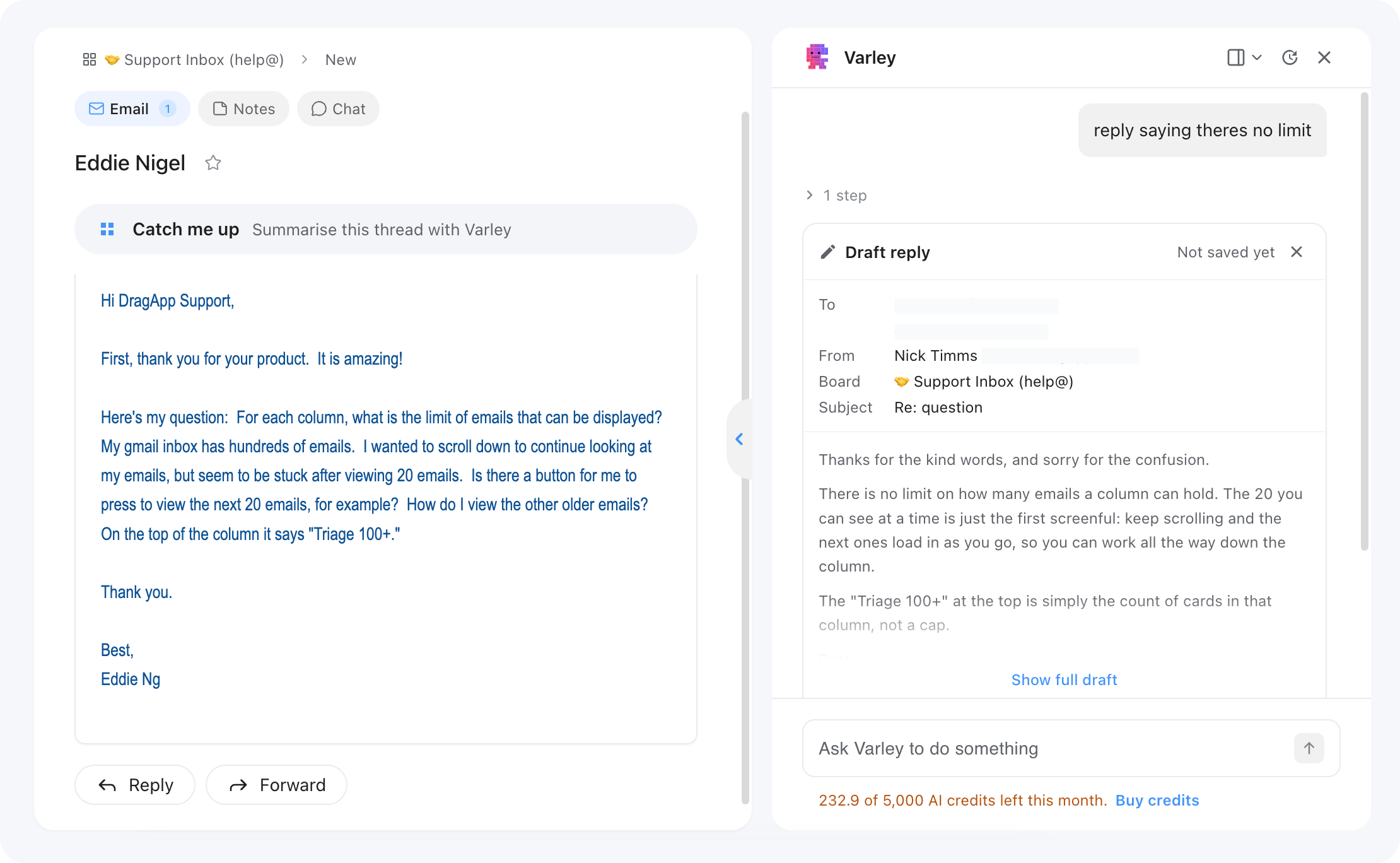
Drag lets your team collaborate on a reply before it goes out. A draft you start on a board is shared with everyone on that board, so a teammate can pick it up and finish it.
Available on: Chrome extension · Web app · Desktop app
Create a shared draft
- Open an email on the board.
- Click reply, or reply as a shared address.
- Write your response and close the draft, the same way you would in Gmail.
- Leave the card.
Back on the board, the card shows draft in red, so everyone on that board can see there is a draft in progress.
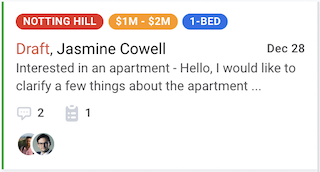
Anyone else on the board can open that email and edit the draft before it is sent.
How signatures work in shared drafts
Whenever a teammate opens a draft, their own signature appears at the bottom (including when you reply as another address). You do not need to remove your signature while editing, because the signature of the last person to edit is the one that gets sent.
Does Drag have collision detection?
Yes. While a teammate is writing a reply, the draft is locked: the card shows draft in red, the web app shows who is drafting with a read-only preview, and the extension warns you if you try to edit it. The lock lifts when they send or close the draft, or after about 45 seconds of inactivity. See Does Drag have collision detection? for the full behaviour.

Can I share a draft on a new email thread?
Shared drafts work on replies, not on brand-new email threads. To collaborate on a new email before sending, you can write it as a Google Docs email draft and paste the Google Doc link into a Drag card (as a comment or a custom field), so you can tag, assign and organize it as usual.
The desktop app works the same way as the web app, with silent auto-updates.
Note: Drafts you insert from Varley become shared drafts too, so your teammates on the board can see them. See How do I draft and send replies with Varley?