An email's subject is not always the clearest title for a card, especially once it fills up with "Re:" and "Fwd:". You can rename any card to something more useful.
Available on: Chrome extension · Web app · Desktop app
Note: Renaming a card changes its title on your Drag board only. It does not change the email subject for the people you email.
Rename a card
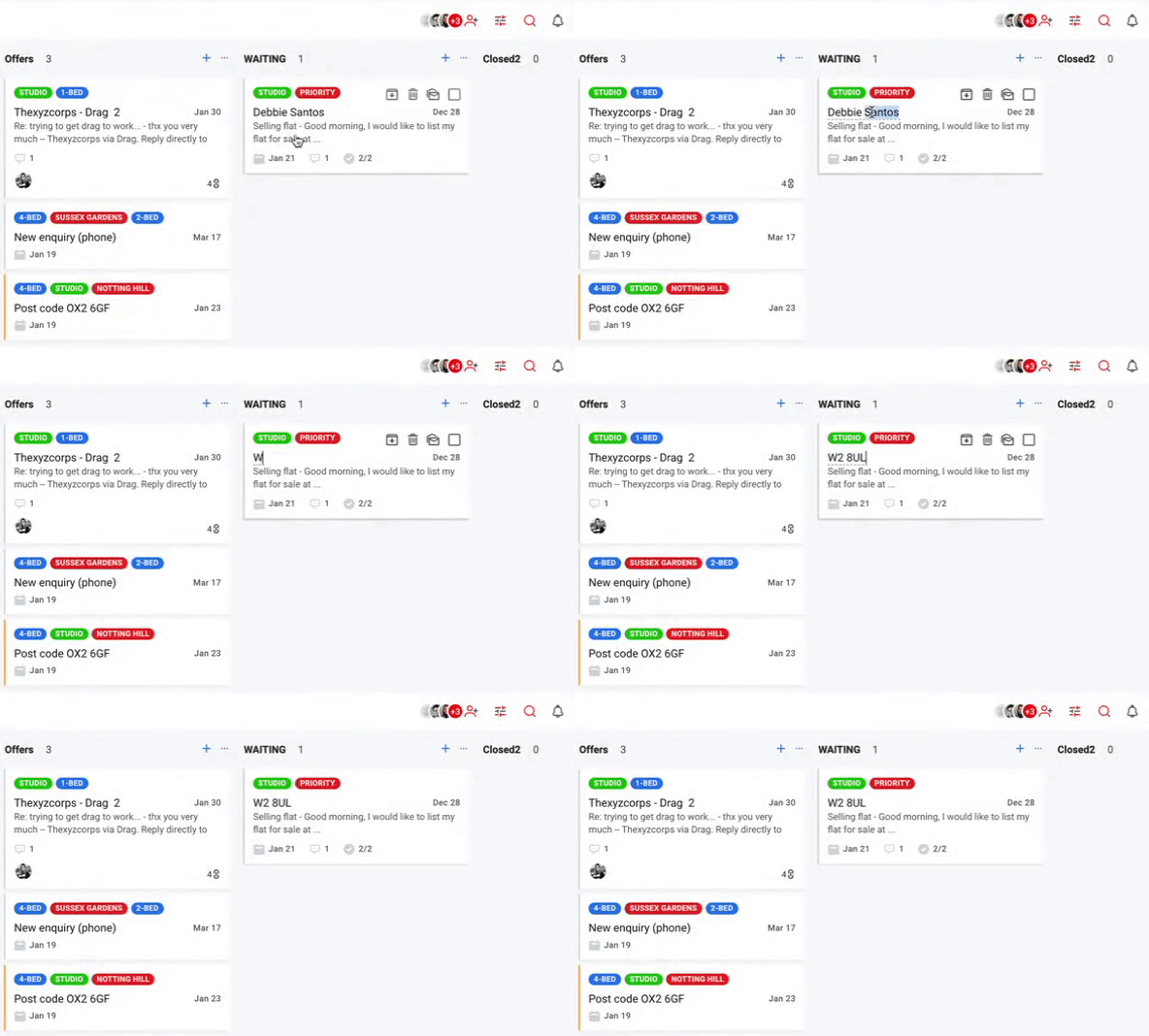
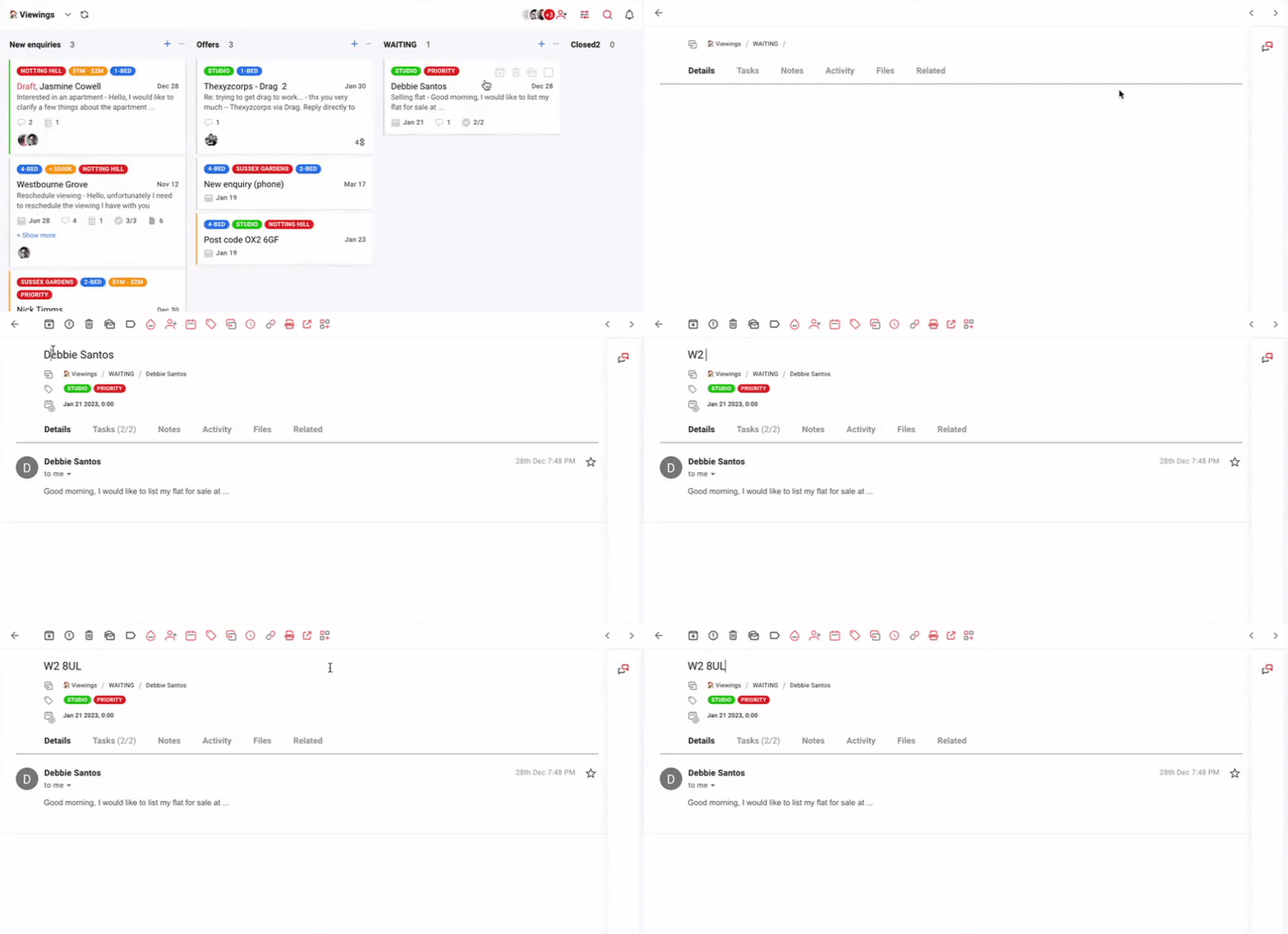
To rename, click the card's title, type the new title, and press Enter (or click away). The new title saves automatically.
In the Chrome extension
You can rename a card in two places:
- From the board: click the card's title on the board.
- From the card view: open the card, then click its title.
In the web app
Open the card and click its title to rename it. Renaming needs the board-configure permission, so if the title is not editable, ask a board admin for access.
The desktop app works the same way as the web app, with silent auto-updates.