Email sequences turn your email templates into automated follow-ups: a series of emails that go out on a schedule until the recipient replies.
Available on: Chrome extension · Web app · Desktop app
Note: Sequences build on templates, so it helps to read How do I use shared email templates? first. Sequences are available on the Plus and Pro plans.
Create a sequence
You build sequences in the same place as templates. When you create or edit a template, turn it into a sequence:
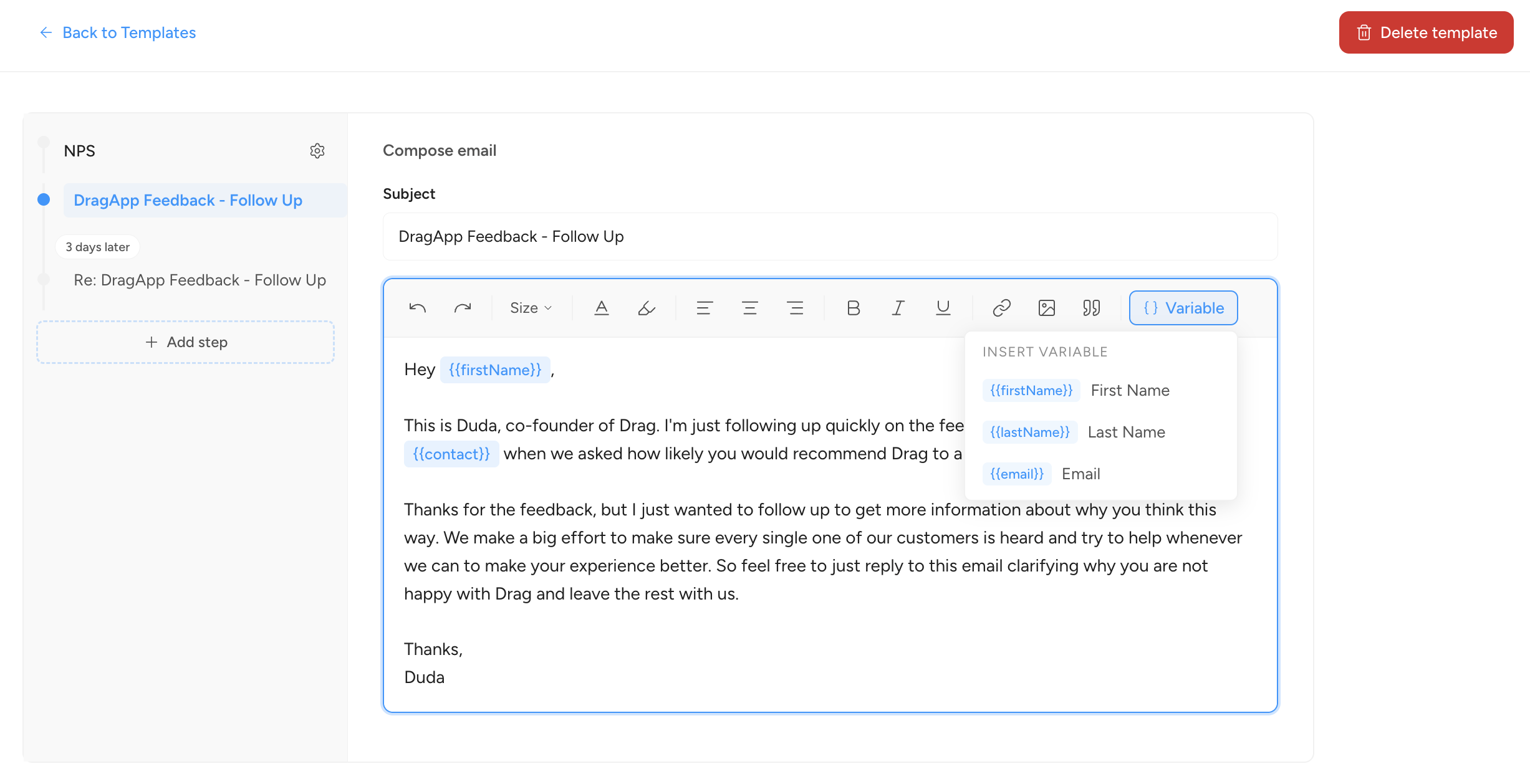
Add variables
At the bottom of the compose box, a dropdown lets you insert variables (such as the recipient's first name) into the template. Variables carry across the whole sequence, so you fill a value like first name once and every follow-up reuses it.
Add a follow-up email
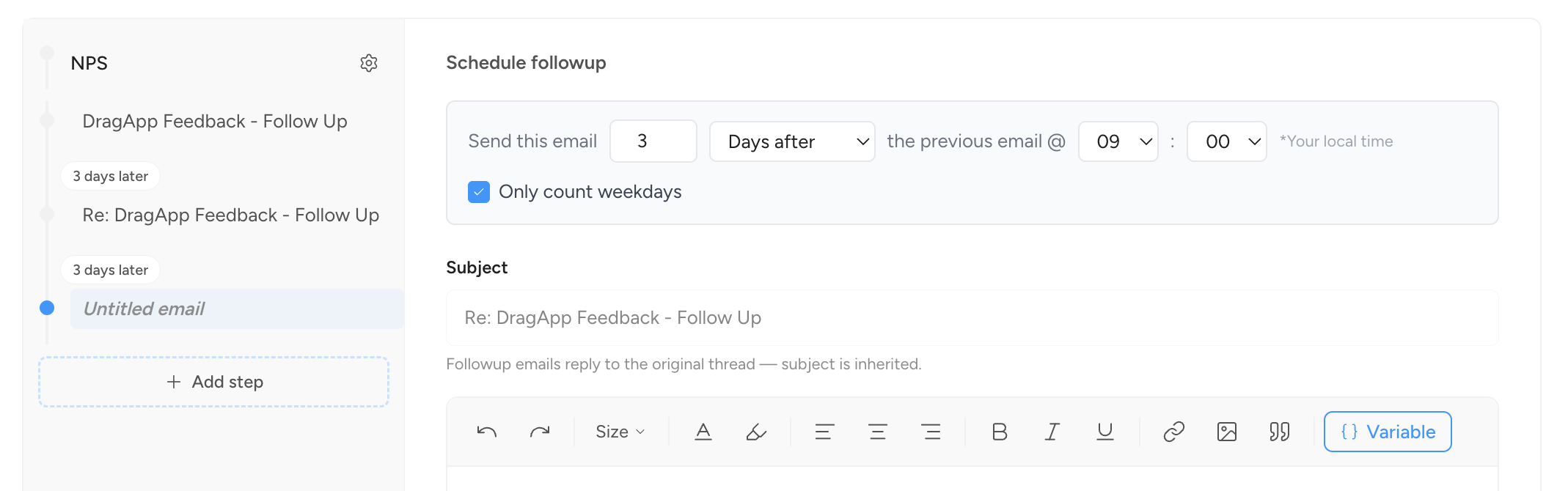
Click the + button on the left-side tracker to add the next email in the sequence. This opens a new compose box.
Note: The subject line of follow-up emails is pre-filled with the original subject and cannot be changed.
Set the timing
At the top of each follow-up compose box, choose the gap before it sends: how many days, weeks or months later, and at what time. Times use your local timezone (the one set in your Gmail account).
Share, edit or delete a sequence
- Open Templates (from the Drag menu in the extension, or the sidebar in the web app).
- Find the sequence.
- Click the bin icon to delete it, or the pen icon to edit or share it.
Send a sequence
You can start a sequence from a new email or a reply:
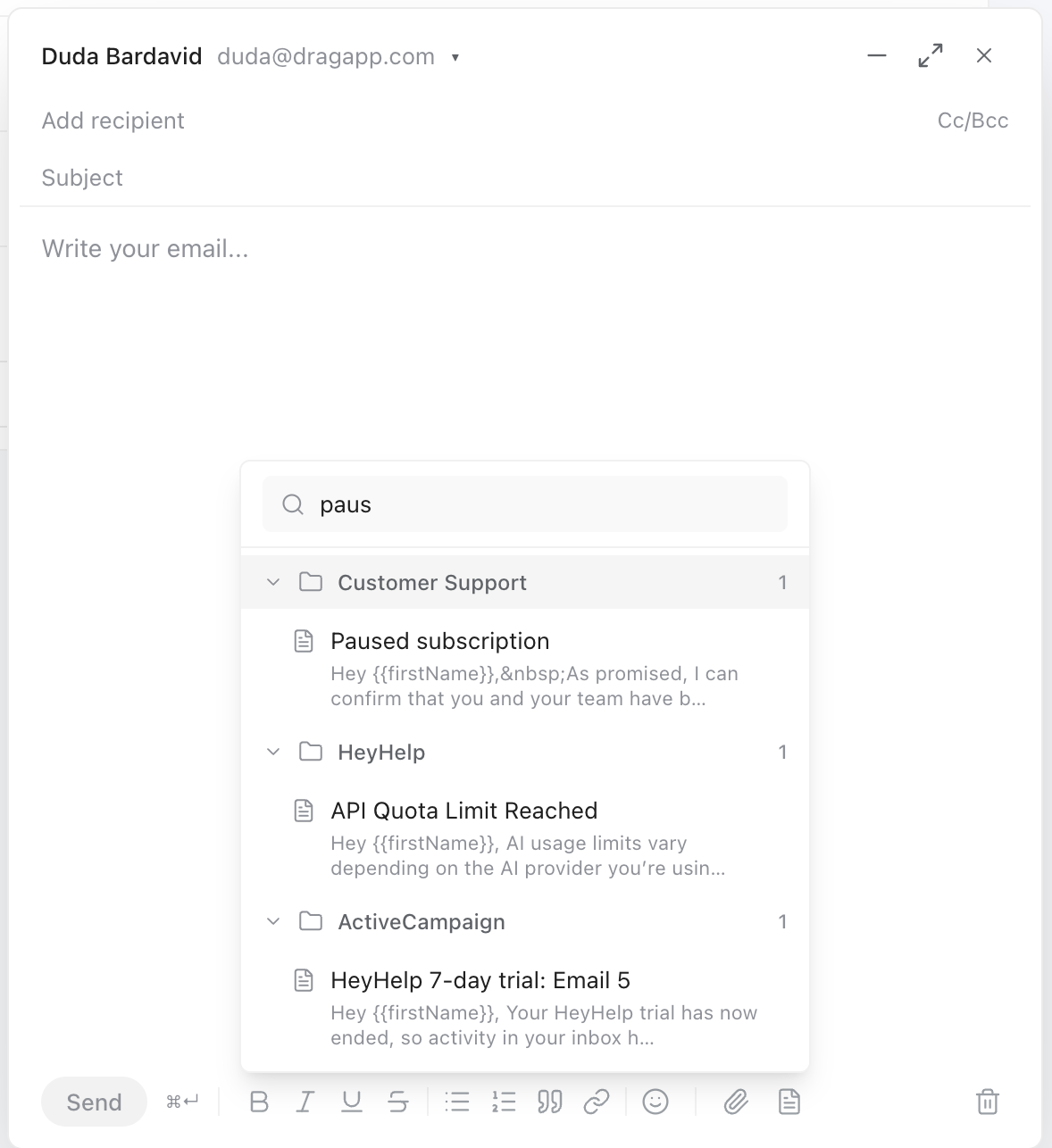
- Click the templates button in the compose box (next to the tracking icon).
- Pick the sequence to send.
Note: A template's name is greyed out if it has no content. Add content to it first.

FAQ
If I turn the Drag view off, will sequences still send? Yes. Sequences are not affected by the Drag view toggle. As long as the extension is enabled in your account, they keep sending.
What happens if someone replies? Follow-ups only send while there is no reply. If a reply arrives, the sequence pauses automatically.
How do sequences handle Cc and Bcc? Any Cc or Bcc on the first email is kept on every follow-up in the sequence.
The desktop app works the same way as the web app, with silent auto-updates.