When you build a time-based automation, the After section has a set of checkboxes. This article explains the trigger reversibility checkbox: it decides whether the automation still runs if the thing that triggered it is no longer true when the delay ends.
Available on: Chrome extension · Web app · Desktop app

An example
Say you want to send a notification 2 business days after a card is moved to a specific column:
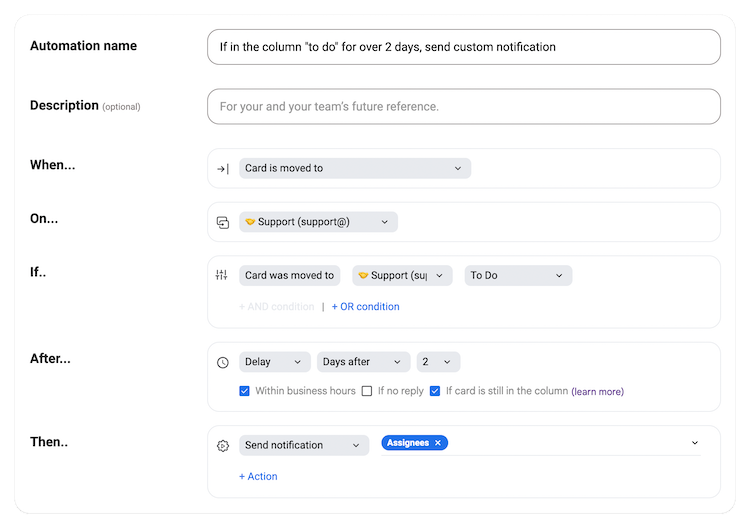
Two things can happen:
- The card stays in that column for the full 2 business days.
- The card is moved to a different column before the 2 days are up.
The reversibility checkbox decides what happens in case 2:
- Reversibility on: the automation runs only in case 1 (the card is still in the column).
- Reversibility off: the automation runs in both cases, whether or not the card is still there.
Note: Reversibility is only available for triggers that can be undone: tag is added, card is moved to, card had all subtasks complete, user is assigned to, and status changed.
The desktop app works the same way as the web app, with silent auto-updates.